HOMETECHSENSE · BUYING GUIDE
Outdoor Security Cameras: Plan Coverage Before Buying a Kit
Choose the views you need before selecting a camera count. An entryway, driveway, and detached garage may have very different power, network, and recording needs.

This is a catalog-based comparison, not a hands-on test or a ranked list of independently tested winners. No prices, star ratings, or savings promises are included.
Compare the shortlist ↓ · Before you buy ↓ · Questions answered ↓
Affiliate disclosure: As an Amazon Associate I earn from qualifying purchases. HomeTechSense may earn a commission when you buy through the Amazon links on this page.
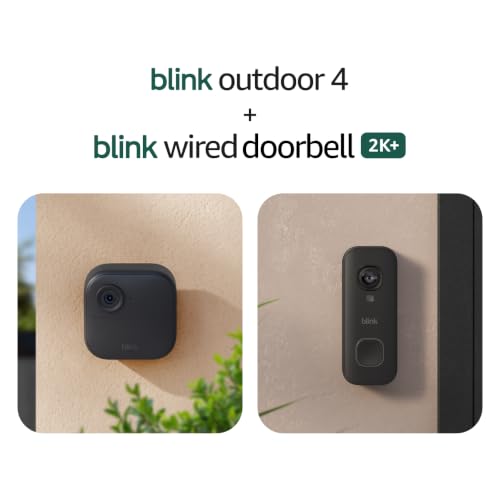
These selections are bundles. The two Outdoor 4 options include a wired doorbell; the five-camera Outdoor 2K+ option includes a battery doorbell. Confirm doorbell power and chime requirements, the included Sync Module, camera count and current package contents before ordering.
Compare the shortlist
Use the options below to narrow your requirements. The best fit is the one that meets your installation needs and supports the features you will use.
| Product candidate | Comparison focus | Check before purchase |
|---|---|---|
| Blink Outdoor 4 Two-Camera + Wired Doorbell Bundle | Smaller coverage plan | Confirm included Sync Module and recording options |
| Blink Outdoor 4 Three-Camera + Wired Doorbell Bundle | Additional viewpoints | Check bundle contents rather than title alone |
| Blink Outdoor 2K+ Five-Camera + Battery Doorbell Bundle | Larger coverage plan | Verify exact generation, power, and storage requirements |
Compare the products
Find your next smart-home upgrade. Explore these options and see current prices on Amazon.
Product imagery: Amazon.

Look more closely at each option
Blink Outdoor 4 Two-Camera + Wired Doorbell Bundle
Why compare it: Smaller coverage plan. Consider this option if that approach matches your household and existing setup.
Buyer consideration: Confirm included Sync Module and recording options. Confirm the complete model name and included accessories; similarly named bundles can have different contents.
View on Amazon →Affiliate link. Check the selected model and bundle on Amazon.Blink Outdoor 4 Three-Camera + Wired Doorbell Bundle
Why compare it: Additional viewpoints. Consider this option if that approach matches your household and existing setup.
Buyer consideration: Check bundle contents rather than title alone. Confirm the complete model name and included accessories; similarly named bundles can have different contents.
View on Amazon →Affiliate link. Check the selected model and bundle on Amazon.Blink Outdoor 2K+ Five-Camera + Battery Doorbell Bundle
Why compare it: Larger coverage plan. Consider this option if that approach matches your household and existing setup.
Buyer consideration: Verify exact generation, power, and storage requirements. Confirm the complete model name and included accessories; similarly named bundles can have different contents.
View on Amazon →Affiliate link. Check the selected model and bundle on Amazon.Five checks before you buy
- Sketch the areas to cover and consider viewing angle, night lighting and privacy boundaries.
- Choose battery, plug-in, wired or another supported power method for each location.
- Confirm Wi-Fi coverage at the final mounting point before installing a full kit.
- Review event recording, storage, export and subscription terms for the exact system.
- Check the listing’s camera count, required hub and included accessories before buying.
What matters in daily use
A larger bundle is only useful if each position has a reliable connection and a useful viewing angle. Check what recording remains available without a subscription and whether accessories are included.
Plan setup around the people who live with the device. Make sure there is a practical manual control or fallback, agree on who receives notifications, and check the process for adding or removing household access.
Frequently asked questions
Which option is best for my home?
Start with the compatibility and installation checks above. Eliminate unsuitable models first, then compare convenience features. A larger bundle or more expensive model is not automatically a better fit.
Are extra costs included?
Check the current listing for hubs, batteries, installation accessories, subscriptions, and replacement parts. Prices and recurring costs can change. Check the selected listing and service plan before ordering.
Where do the Amazon buttons take me?
The buttons open the selected product listing. Check the exact model, included accessories, seller, availability and total cost before ordering.
Choose your next step
Shortlist the product approach that fits your home, confirm the requirements, and compare the complete purchase rather than the headline feature. Use each card’s Amazon button to view the selected product listing.
Understand the connected-home basics · Contact HomeTechSense
As an Amazon Associate I earn from qualifying purchases.